Phone Speaker Cleaning Tips To Improve Sound Quality
Dust and debris can collect around a phone speaker grille and affect sound quality, but careful cleaning with gentle tools can help keep the speaker clear and working properly daily.
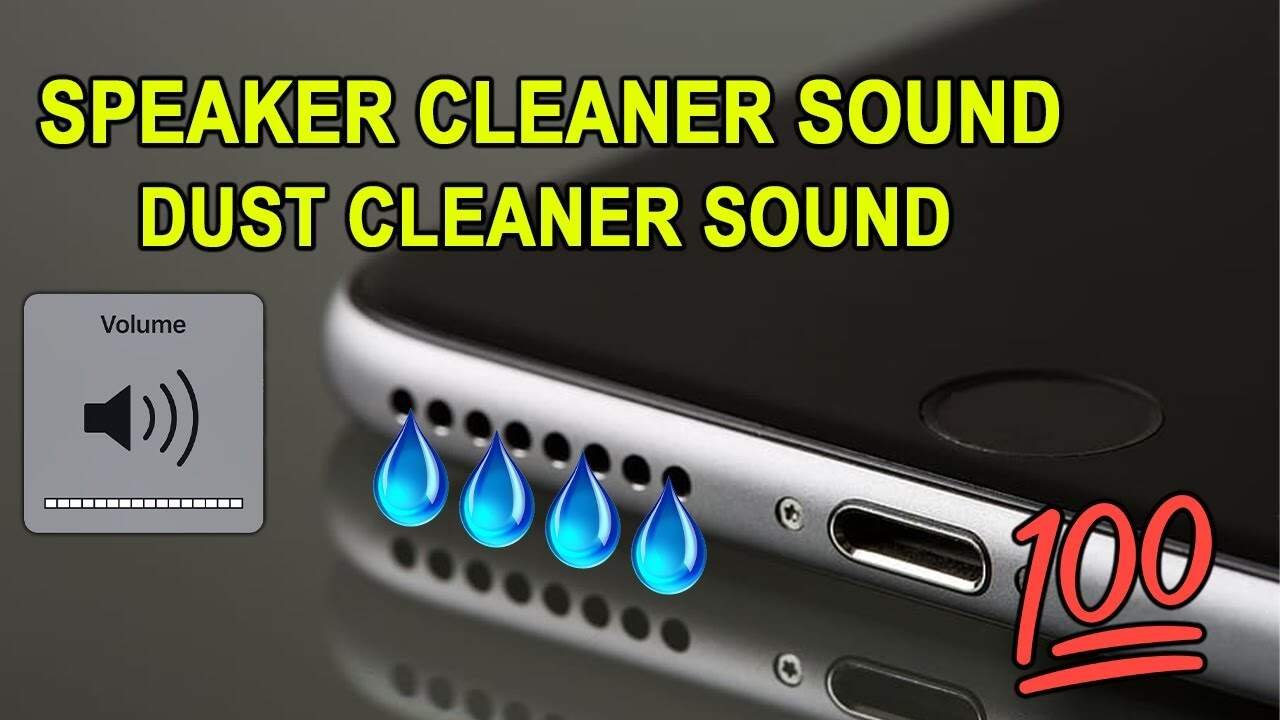
A smartphone spends much of its time in pockets, bags and other places where it can easily pick up dust, fabric fibres and tiny particles. Over time, some of this dirt can settle around the speaker grille and affect the way sound comes out.
One of the most common signs is a noticeable drop in volume. Audio may begin to sound muffled even when the phone’s volume is turned up. In some cases, dirt around the speaker openings can also make calls, videos and music sound less clear.
Fortunately, basic cleaning can help when the problem is simply caused by surface dust. However, the speaker is a delicate part of the phone, so aggressive cleaning or excessive pressure should be avoided.
Start With A Gentle Surface Clean
Before cleaning the speaker, switch off the phone and disconnect any charging cable or accessories. This makes the process safer and also prevents accidental interaction with the device while cleaning.
Begin by looking at the speaker openings, usually found along the lower edge of the phone. Use a clean, soft and dry cloth to wipe the surrounding area and remove loose dust.
A soft brush can then be used to gently loosen particles sitting on the speaker grille. The brush should be moved lightly across the surface rather than pushed into the openings.
Avoid forcing the bristles deep into the speaker. The grille and components behind it can be delicate, and excessive pressure may push dirt further inside instead of removing it.
Use Air Carefully To Remove Loose Dust
A manual air blower can be useful for removing loose particles from a speaker grille. Short and controlled bursts of air can help move dust away from the openings.
The air should not be forced aggressively into the speaker. Strong pressure may cause problems if particles or moisture are pushed deeper into the phone.
After using a blower, gently brush the grille again and wipe the surrounding surface with a soft cloth. This can help remove fibres and dust that have become loose during cleaning.
Avoid Sharp Objects And Excessive Pressure
It can be tempting to use a pin, needle or other pointed object when dirt appears stuck inside a speaker opening. This should be avoided because sharp objects can damage the grille or internal components.
Similarly, inserting cotton swabs deeply into the speaker is not a good idea. A cotton swab may leave fibres behind, while pressure can push debris further into the opening.
For phones with particularly fine speaker grilles, following the cleaning instructions provided by the manufacturer is a safer option.
Be Careful With Liquids And Cleaning Solutions
Liquid should generally be kept away from the speaker openings unless the phone manufacturer specifically recommends a particular cleaning method.
Some cleaning advice suggests using rubbing alcohol or other solutions, but this is not suitable for every phone or surface. Different materials and protective coatings can react differently to cleaning products.
If a cleaning solution is recommended for a particular device, it should be used only according to the manufacturer’s instructions. Never pour or spray liquid directly onto the speaker.
What To Do If Moisture Enters The Speaker
Water or other liquid entering a phone can cause problems that ordinary dust cleaning cannot solve. If the device becomes wet, avoid immediately using aggressive methods to force the moisture out.
Do not insert cotton, paper or other materials deep into the speaker opening. Also avoid using high pressure air or excessive heat.
Instead, follow the manufacturer’s guidance for dealing with liquid exposure. If the phone continues to produce distorted or unusually quiet sound after drying, professional inspection may be necessary.
Sound Based Cleaning Apps Need Caution
Some applications claim to help remove water from speakers by playing specific sounds that create vibrations. Such features may be useful in certain situations, but they should not be treated as a replacement for proper cleaning or repair.
A phone speaker that remains muffled after removing visible dust may have another problem. The issue could involve moisture, physical damage or an internal component rather than simple dirt.
Keeping The Speaker Clean Regularly
Regular maintenance is easier than trying to remove a large amount of accumulated dirt later. A quick inspection every few weeks can help identify dust around the speaker before it becomes noticeable.
Keeping the phone away from dusty surfaces and cleaning the exterior with a suitable soft cloth can also reduce the amount of debris that reaches the speaker area.
People who regularly carry their phones in pockets may notice more fabric fibres around openings. A protective case can help in some situations, but the case itself should also be cleaned regularly.
Know When Cleaning Is Not Enough
If the speaker remains quiet after careful surface cleaning, repeatedly making unusual sounds, or stops working properly, the problem may not be related to dust.
In such cases, continuing to clean the opening could cause more harm. Checking the manufacturer’s support information or having the phone inspected by an authorised service centre is a better choice.
The main point is to keep speaker cleaning simple. Loose dust can often be removed with gentle brushing and controlled air, while sharp tools, excessive pressure and unnecessary liquids should be avoided.
A little care during routine cleaning can help keep the speaker grille clear without putting delicate phone components at unnecessary risk.