Best Laptops for Video Editing and Professional Work Based on Real World Experience
After testing several highly rated laptops for editing and professional workloads this guide highlights the best performers across different budgets with practical insights to help buyers choose confidently.
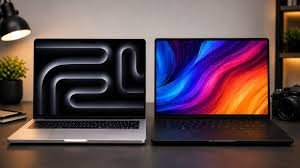
Choosing the right laptop for video editing and professional work is no longer just about buying the most expensive machine. Performance, display quality, thermal management, portability and long term reliability all play an important role. After spending considerable time using several highly rated laptops available online, it became clear that every model serves a different type of user. Whether you are editing 4K videos, handling graphic design projects or managing daily office tasks, selecting the right device depends on your workload and budget.
Among all the laptops tested, the Lenovo LOQ stood out as one of the strongest performers for demanding creative work. Powered by the 13th Generation Intel Core i7 13700HX processor and NVIDIA GeForce RTX 5050 graphics, it handled intensive video editing, rendering and multitasking with ease. The cooling system remained stable during long editing sessions, while the 144Hz Full HD display delivered a smooth viewing experience. It is slightly heavier than some competitors, but the overall performance makes it an excellent option for creators.
Another impressive choice for users balancing editing and gaming is the HP Victus. Equipped with the AMD Ryzen 7 7445HS processor and RTX 3050 graphics, the laptop delivered consistent rendering speeds while keeping temperatures under control. The fast refresh rate display and upgrade friendly hardware make it suitable for professionals who also enjoy gaming after work. Although it is not the lightest machine to carry every day, its performance easily justifies the extra weight.
For professionals looking for an affordable office companion, the Dell Vostro 3530 offers excellent value. The combination of a 13th Generation Intel Core i5 processor, 16GB RAM and a 512GB SSD ensures smooth multitasking for office applications, online meetings and moderate content creation. Its compact design also makes it easy to carry, while Windows 11 and Microsoft Office come ready to use. The absence of dedicated graphics means it is not intended for advanced editing projects, but it performs very well for everyday professional tasks.
The ASUS Vivobook 15 also impressed with its balanced performance. Featuring the Intel Core i5 13420H processor and 16GB RAM, it delivers reliable speed for productivity, content creation and light editing work. The keyboard offers a comfortable typing experience for extended work sessions, while the Full HD display provides good visual quality. Although professionals working with advanced colour grading may prefer a higher quality display, the laptop remains a dependable option for general creative work.
Users searching for a lightweight laptop should consider the Lenovo V14. Weighing only around 1.43 kilograms, it is designed for business professionals who frequently travel or attend meetings. Its Intel Core i3 1315U processor and 16GB RAM handle office applications, presentations and web based tasks comfortably. It also supports multiple displays, making it useful for productivity focused users, though it is not intended for demanding editing software.
Content creators who are just getting started may find the HP Professional 15 an ideal choice. The latest Intel Core 3 processor combined with 16GB RAM provides smooth performance for office work, online collaboration, document editing and light creative tasks. Its lightweight design makes daily commuting easier, while the spill resistant keyboard adds practical durability. However, professionals working with heavy video editing software may eventually require more powerful hardware.
Budget conscious buyers can look at the Acer Aspire One, which focuses on portability and everyday performance. Featuring the AMD Ryzen 3 7320U processor, 8GB LPDDR5 RAM and a compact design, it performs well for browsing, studying, office work and basic productivity. While it is not suitable for demanding editing applications due to its limited hardware and storage, it remains a practical entry level option for users with simple computing needs.
Choosing the right laptop also depends on understanding the hardware requirements of creative software. For professional editing, processors such as Intel Core i7, AMD Ryzen 7 or Apple Silicon chips provide the best balance between speed and efficiency. At least 16GB of RAM is recommended, while 32GB offers a much smoother experience for complex projects. Dedicated graphics cards such as the NVIDIA RTX series significantly improve rendering performance and support advanced visual effects.
Display quality is equally important for editors and designers. A screen with accurate colour reproduction, ideally covering the full sRGB or DCI P3 colour space, helps ensure that projects look consistent across different devices. High refresh rates improve overall smoothness, while better brightness levels make long editing sessions more comfortable.
Laptop cooling systems should never be overlooked. Powerful processors generate significant heat during rendering and exporting tasks, making effective cooling essential for maintaining performance. Devices with advanced thermal designs and efficient airflow generally perform more consistently during extended workloads.
Ultimately, there is no single laptop that fits every user. Professionals working on demanding creative projects will benefit most from performance focused models such as the Lenovo LOQ or HP Victus. Business users can confidently choose the Dell Vostro 3530, ASUS Vivobook 15 or Lenovo V14, while beginners and students will appreciate the affordability and portability offered by the HP Professional 15 and Acer Aspire One. Matching your laptop to your actual workflow will always provide the best value and the most satisfying long term experience.